
Sensor How-To
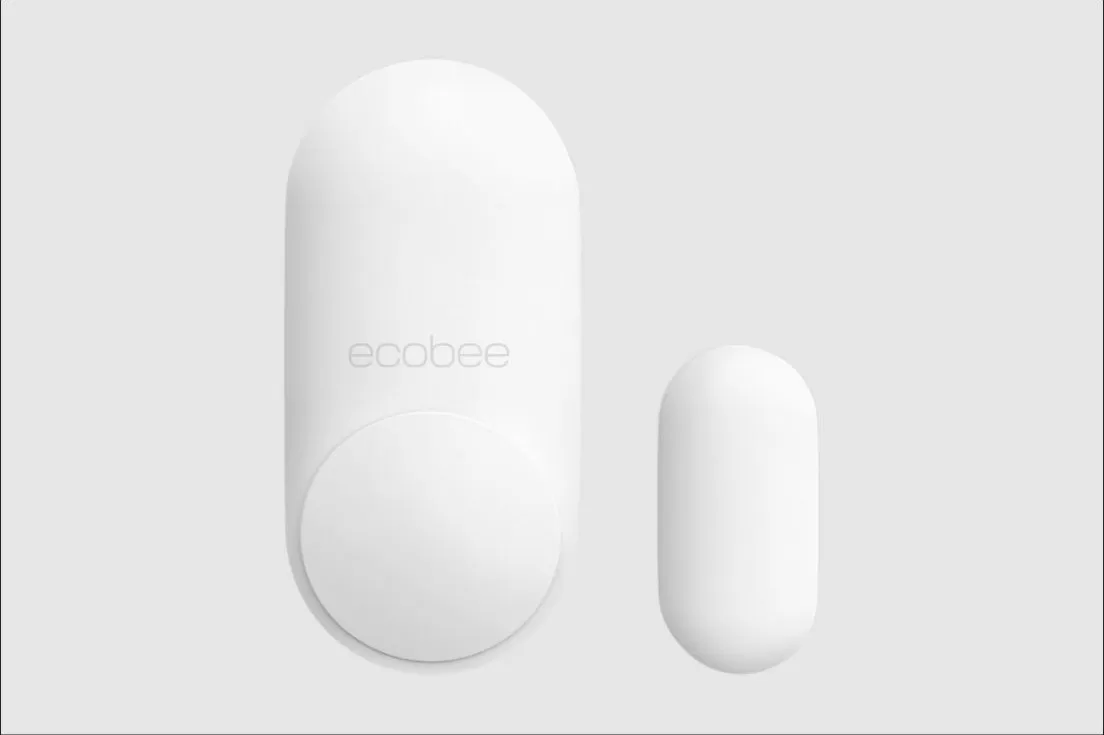
How to Set Up and Use the ecobee SmartSensor for Doors & Windows
This small sensor tells your phone and your ecobee thermostat when a door or window has been opened or left open, and with eco+ it can pause your heating or cooling so you’re not paying to condition the outdoors. This guide covers pairing it in the ecobee app and what it does day to day. For where to stick it on the frame, see the quick-start guide in the box.
At a Glance
CR2477
Battery
Lasts up to about 3 years; a coin-cell battery.
Open or closed
What it reads
Whether the door or window it’s on is open or closed, plus nearby motion.
After 5 minutes open
Pause When Open
Can pause HVAC and notify you if an entryway stays open too long. Needs eco+ and a smart thermostat.
Compatible ecobee thermostat
Works with
Pairs with any ecobee smart thermostat, like the Smart Thermostat Premium, or an ecobee camera.
Step-by-Step: Pairing the Sensor
This covers adding and naming the sensor in the app. Sticking the base and magnet on the door or window frame is in the sensor’s own quick-start guide, not here.
Step 1
Open the ecobee app
Open the ecobee app and go to Add a Sensor, or Main Menu > Sensors > Add Sensor. You’ll need an ecobee account and a thermostat or camera already set up.
Step 2
Pull the battery tab
Pulling the tab wakes up the sensor’s battery, which is already installed. The app should detect it shortly after.
Step 3
Name it by entryway
Name it something you’ll recognize in an alert, like “Front Door” or “Kitchen Window,” not just “Sensor 2.”
Step 4
Turn on eco+ Pause When Open
If you want the thermostat to pause and notify you when an entryway’s left open, enable Pause When Open under the eco+ menu. This feature needs eco+ and a compatible smart thermostat.
Daily-Use Features
Instant open/close alerts
You get a phone notification the moment a monitored door or window opens or closes, grouped room by room in the app’s activity feed.
Pause When Open
If an entryway stays open for about 5 minutes, the thermostat can pause heating or cooling and let you know, so an open window doesn’t run against your system.
Arm/disarm reminders
If you use ecobee Smart Security, you can arm and disarm from the app or the thermostat keypad, with a reminder if you leave without arming.
Other uses
Beyond doors and windows, people use these on safes, drawers and medicine cabinets just to get an alert when they’re opened.
Tips for Best Use
- Name each sensor by its exact location so an alert tells you something useful at a glance.
- It’s for indoor use only and works up to about 60 ft from the thermostat or camera, so very distant rooms may need a closer sensor or a signal check.
- Turn on Pause When Open on windows you tend to forget about, like one behind a curtain or in a spare room.
- Keep small children away from the battery compartment; the coin-cell battery is a choking hazard.
Common Mistakes to Avoid
- Placing the magnet too far from the sensor base. The contact gap needs to stay within about 0.75 to 1.25 inches for a reliable reading.
- Expecting Pause When Open to work without a Smart Security Plus or Advanced subscription — the contact and motion alerts work without it, but the automatic HVAC pause does not.
- Mounting it outdoors or somewhere it will see rain or extreme heat; it’s rated for indoor use only, 32° to 104°F.
- Forgetting to name the sensor clearly, which makes it easy to confuse with another door or window sensor later.
Troubleshooting
- Sensor won’t pair. Confirm the battery tab is fully pulled and you’re within range of the thermostat or camera, and try scanning the QR code again instead of typing the code.
- False open/close alerts. The magnet and base may have shifted slightly apart; recheck that they still line up closely when the door or window is fully shut.
- Low battery warning. Replace the CR2477 coin-cell battery; it typically lasts up to 3 years.
- Pause When Open isn’t working. Confirm eco+ is turned on and that you have a compatible smart thermostat; this feature isn’t available on every ecobee model.
Still having trouble? Call (847) 224-2420.
SmartSensor for Doors & Windows Questions
Does this sensor need its own Wi-Fi connection?
No. It talks directly to your ecobee thermostat or camera over its own radio signal; only that main device needs to be on Wi-Fi.
Will it stop my air conditioner the instant I open a window?
No, by design it waits about 5 minutes before Pause When Open kicks in, so briefly opening a door doesn’t shut your system off every time.
Can I use it outdoors?
No, it’s rated for indoor use only, between 32°F and 104°F.
Is this the same as the SmartSensor for Rooms?
No. This one tracks whether an entryway is open or closed. The SmartSensor for Rooms tracks room temperature and occupancy instead.
Want Help Setting It All Up?
We’re happy to pair your sensors and dial in eco+ settings while we’re already there for a visit.
See the ecobee Premium guide, the SmartSensor for Rooms guide or the How-To Hub.
This guide is general homeowner information and is not a substitute for ecobee’s own manual or support resources. ecobee and the ecobee logo are trademarks of ecobee Inc.
